7 Ways to Download Spotify to MP3 Free in 2025
Streaming music is good, but I still use my iPod Classic to listen to music, so I always want to download my Spotify playlists to MP3. Even if you get Spotify Premium, you cannot transfer downloaded Spotify music to your music player. In any case, you also want to download Spotify to MP3, here are 7 tested working methods in 2025. 5 of them are completely free.
Disclaimer
All these methods are for personal or educational use only.
Do not use any of these tools to pirate or distribute music.
Some of these tools may be illegal to use in your country. If you are concerned, consult a lawyer.
Spotify to MP3 on Android
SpotiFlyer is an Android app that help you to download music from Spotify. You can input links to Spotify tracks, albums, and playlists, this program will download all the tracks as MP3. No login is required, you can use it without Spotify Premium.
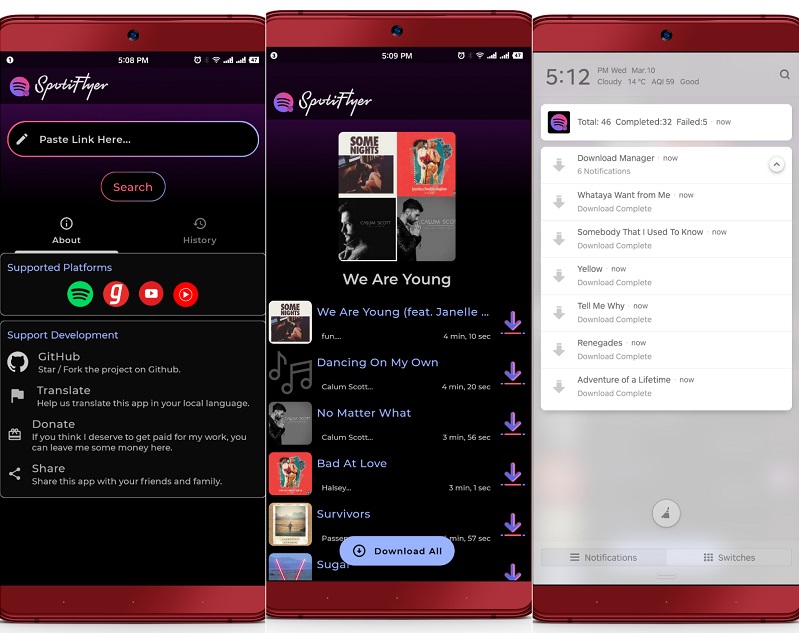
You can download SpotiFlyer app from Google Play Store. After you install this app, you can copy and paste the URL to Spotify track, playlist, or album and the app will do its job. For album and playlist, SpotiFlyer offers you the option to select or deselect items.
The downloaded Spotify music files are sourced from YouTube, so the quality would be around 128kbps. Therefore, if YouTube Music is not available in your county, this app will not work.
Spotify Downloader Shortcut for iPhone and Mac
IOS users should not be unfamiliar with the Shortcuts app. In case you are, Shortcuts is a stock app for automation since iOS 13. Many users have made some amazing shortcuts to ease their life. I have made one to download Spotify Music to MP3 for iPhone and iPad.
To get this Spotify To MP3 shortcut, you just open the link in Safari to import to your Shortcut Library. This shortcut only allows you to download tracks from Spotify on your Apple devices. If you need to download Spotify album or playlist, you can check other Spotify shortcuts.
You can copy the Spotify playlist URL to run this shortcut or select this shortcut from Spotify share sheet. As SpotiFlyer for Android, Spotify tracks will be sourced from YouTube. If you care more about quality, you really should try the Allavsoft method below.
When downloaded, this shortcut will give you a quick preview of the track downloaded. You can tap the Share button on the top right to save the downloaded music to your iPhone or iCloud. You can also edit to shortcut to save the downloaded music automatically.
Best Spotify to MP3 Downloader for Windows and Mac
Allavsoft is a multi-source media downloader program for Windows and Mac. It enables you to download Spotify music in the highest quality available with cover art and metatags.
The main interface is quite straightforward. You just paste the Spotify link and click the Download button to get started. If you leave all the settings in default, you can find some tracks are downloaded as in FLAC format (1441 kbps) while others MP3.
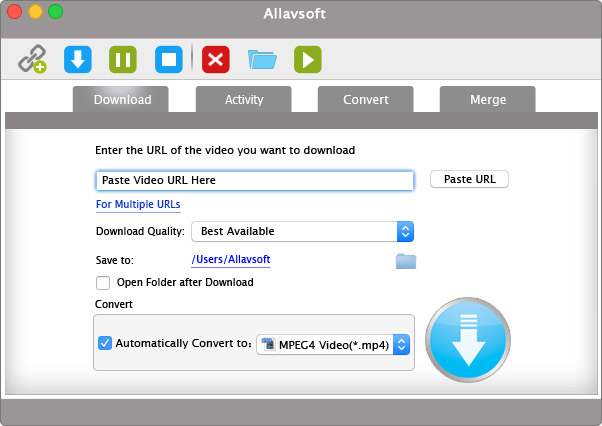
You can also check the option "Automatically Convert to" and select your preferred format. You can also convert your downloaded music tracks to MP3, FLAC, WAV, AIFF, AAC, WMA, DTS, etc.
Since its a multi-source downloader, Allavsoft also allows you to download music from Deezer, SoundCloud, and MixCloud, Tidal, Qobuz. Besides music, you can also use Allavsoft to download videos from YouTube, Udemy, Linkedin Learning, Facebook, etc.
Download Spotify to FLAC or MP3
D-FI is an open-source music downloader for downloading music from streaming music services including Spotify, Tidal, and Deezer. Unlike Allavsoft, D-FI does not come with an GUI. You can run it from a command line based window.
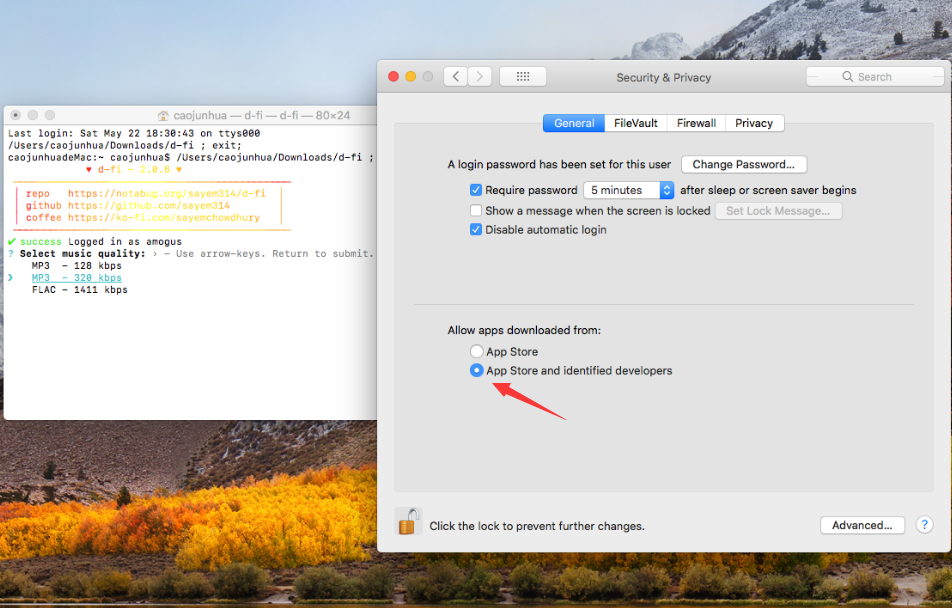
It allows you to select music quality from 128kbps, 320kbps MP3, or FLAC. You simply paste the Spotify URL or type a query to search. D-FI will auto tag the downloaded music file and include lyrics in the output folder.
As you can see from the project page, it states that Spotify and Tidal tracks will be sourced from Deezer using ISRC matching. Surely, there are some Spotify tracks that are not available in Deezer. Namely, for this program to work, Deezer has to be available in your country.
Download Spotify Music Using iTubeGo
iTubeGo is your ultimate media downloader software for Windows and Mac. It allows you to download Spotify playlist directly, and album music to MP3, FLAC, WAV, M4A, OGG, etc with ID3 tags.
You may save time and bandwidth by downloading Spotify songs at a blazing-fast pace, up to 10 times faster than normal. The software also allows for batch downloading and conversion of several tracks at the same time.
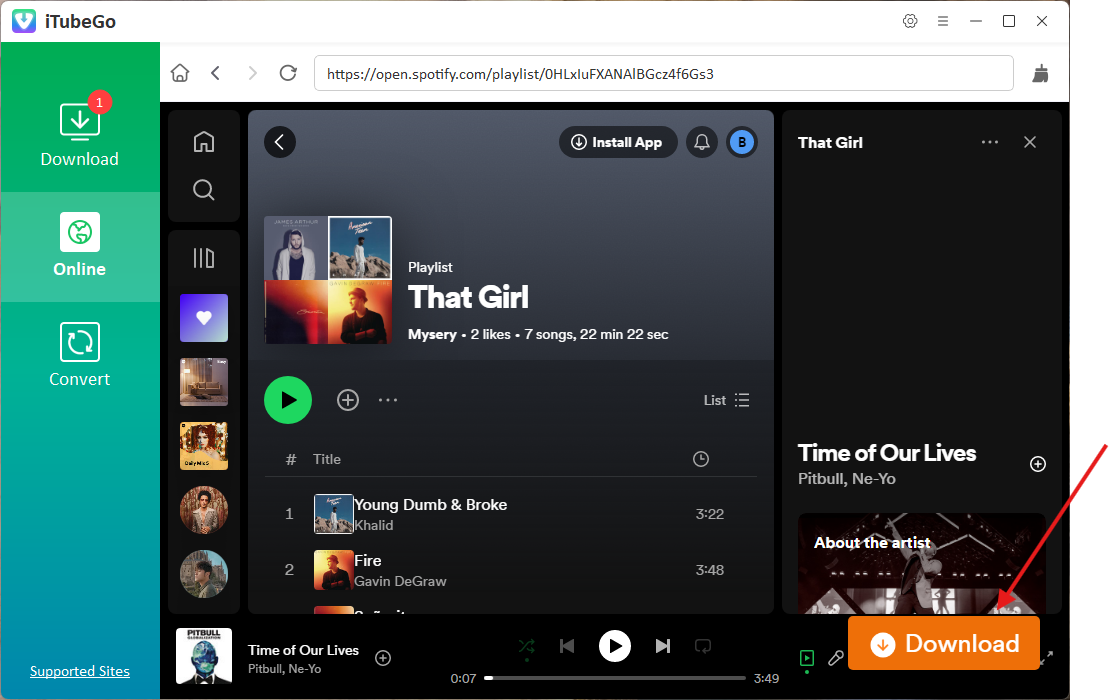
Once you get it installed, you can copy the Spotify music link whether it is a song, album, or playlist, and paste it to iTubeGo. When do it for the first time, it will ask you to log in for better quality.
In the Online section, you view all your playlists and tracks. Just click the floating Download button at the bottom right to download it.
The program allows you set your preferred output format in the Download section. Once complete, you can find all the downloaded files with artwork and other metadata in the Downloaded section.
Besides Spotify, iTubeGo allows you to download music from Qobuz, Deezer, SoundCloud, MixCloud, and download videos from YouTube, Facebook, etc. That is to say, iTubeGo is the only downloader software that you ever need.
Spotify Downloader Telegram Bot
Spotify Music Downloader Bot is a powerful and user-friendly Telegram bot that can download music from Spotify to MP3. This bot is designed to make it easy for you to download music in MP3 format, which they can then listen to offline or transfer to other devices.
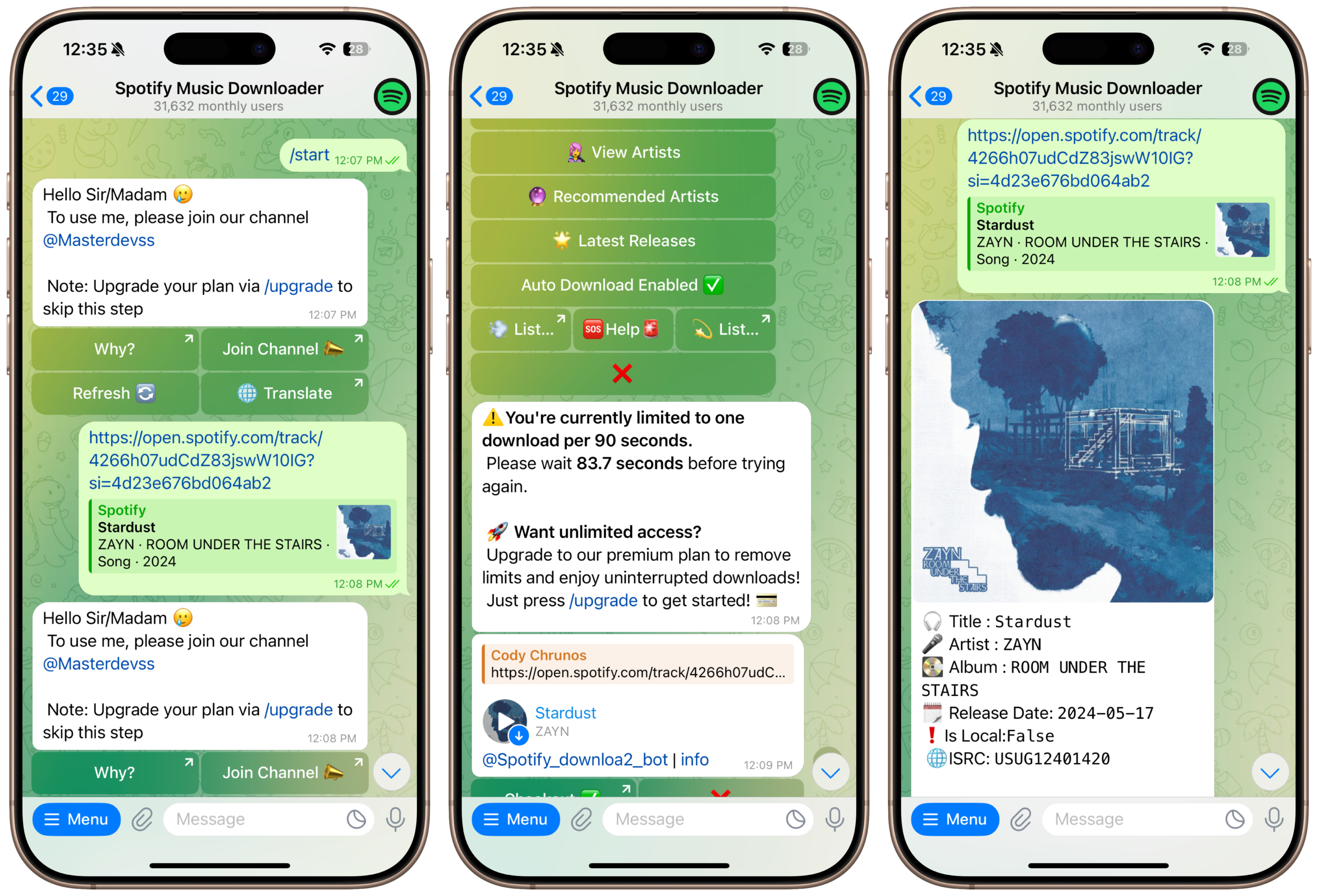
Spotify Music Downloader Bot is very simple. To begin, you need to add the bot to their Telegram account by searching for @spotify_downloa2_bot. Once added, it will ask you join a Telegram Channel to use it for free.
After that, you can input a URL to any Spotify track and the Bot will instantly generate a downloadable link for the desired music.
Spotify to MP3 Online Downloader
There is also a Spotify to MP3 online downloader that allows you to convert and download music from Spotify to MP3 format. This downloader works entirely online, meaning users don't need to download any software or install any plugins to use it.
To use a Spotify to MP3 online downloader, you simply need to copy the Spotify song link, and then paste it into the downloader's search bar. The downloader will then process the link and generate a downloadable link for the desired music in MP3 format.
Conclusion
These are all the 7 different methods for downloading Spotify music to MP3 in 2025. You may choose one that fits you. Personally, I prefer the Spotify to MP3 shortcut, which is quite convenitent to download songs from Spotify on iPhone or iPad. You can even use it on Mac.