How to Download a Udemy Course
The Udemy-Downloader program is open-source software designed to download Udemy course materials from the Udemy platform. Before using this program, please ensure that you have read and understand the disclaimer mentioned in the program's Github repository.
Step 1: Download and Install
Download the Udemy-Downloader program from the Github repository. You can do this by clicking on the "Code" button on the repository's main page and selecting "Download ZIP." After downloading the ZIP file, extract it to your desired location.
Step 2: Install Required Dependencies
Download and save the following program to the location where you unzipped the Github repository, ffmpeg, aria2c, mp4decrypt, yt-dlp, and shaka-packager.
Note: For Windows, download the “packager-win-x64.exe” and rename it to “shaka-packager.exe”.
Step 3. Get your access token for Udemy.
-
Open a course on Google Chrome.
-
Open the developer panel and go to the Application tab.
-
Refresh the page.
-
Search for "access_token"
-
Copy the token to the ".env" file inside the cloned repository. Create the file if it does not exist.
Step 4. Get your cookies from Udemy.
-
Open a course on Google Chrome.
-
Open the developer panel and go to the Console tab.
-
Refresh the page.
-
Run "document.cookie" command on the bottom input text box.
-
Copy the cookie (text between quotes) to the "cookies.txt" file inside the cloned repository. Create the file if it does not exist.
Alternatively, you can use a Chrome extension to export cookies.
Step 5. Get Udemy key ID and key.
1. Open your web browser and play the Udemy course that you want to download.
2. Press F12 (on Windows) or Option + ⌘ + J (on macOS) to open Developer Tools.
3. Click on the Network tab, and reload the page. Also, start playing the video.
4. Filter results with "init.mp4".
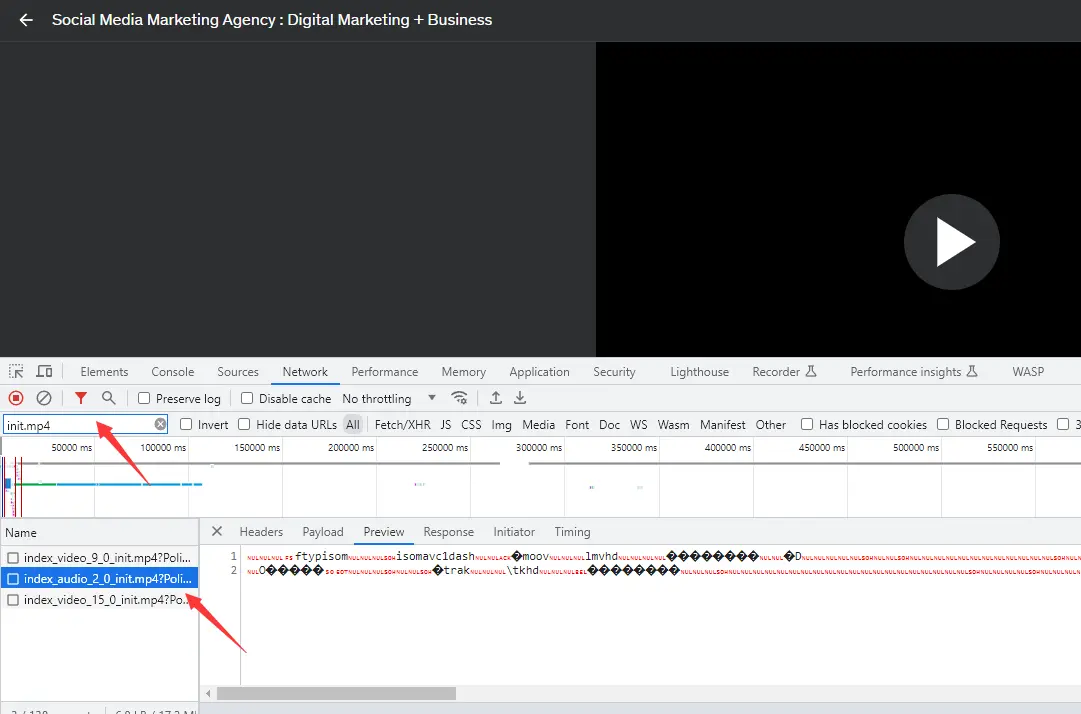
5. Right click on one result and select "Open in new tab. Download and save the file.
6. In Step 2, you have already downloaded the Bento4 Binaries. Copy the mp4dump.exe to the folder where you save the "init.mp4" file.
7. Open CMD at this folder, and type the command "mp4dump.exe [filename of the init.mp4]"
8. Find the default_KID value and remove space. This is the key ID.
9. Join this Discord channel.
10. In the Bots section, type "wv!search [your key ID]". Then it will return your key.
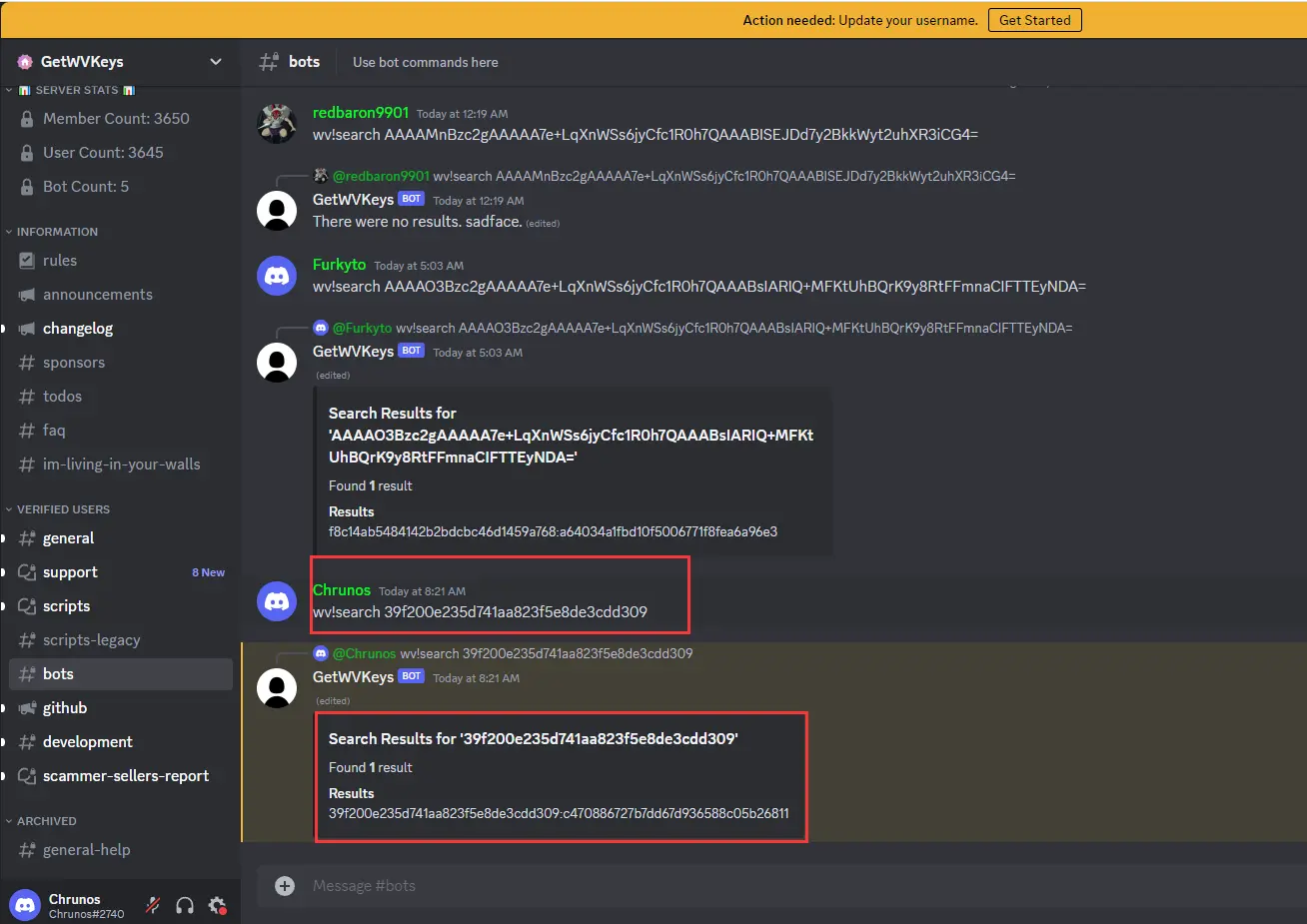
11. Copy the key ID and key to the "keyfile.json" file inside the cloned repository. Create the file if it does not exist.
You may also refer to this video to get key ID and key.
Step 6. Download the course.
-
Open a command prompt in the cloned repository folder.
-
Run the command to install the Python dependencies: pip install -r requirements.txt
-
Run the command as a safe measure: pip install xmltodict
-
Run the command to download the course. (More information about the arguments of the command.). For example:
python main.py -c https://www.udemy.com/course/graphics-with-modern-opengl/learn/lecture/10031110?start=15#overview --download-assets --download-captions --disable-ipv6 -l en -l es --log-level DEBUG
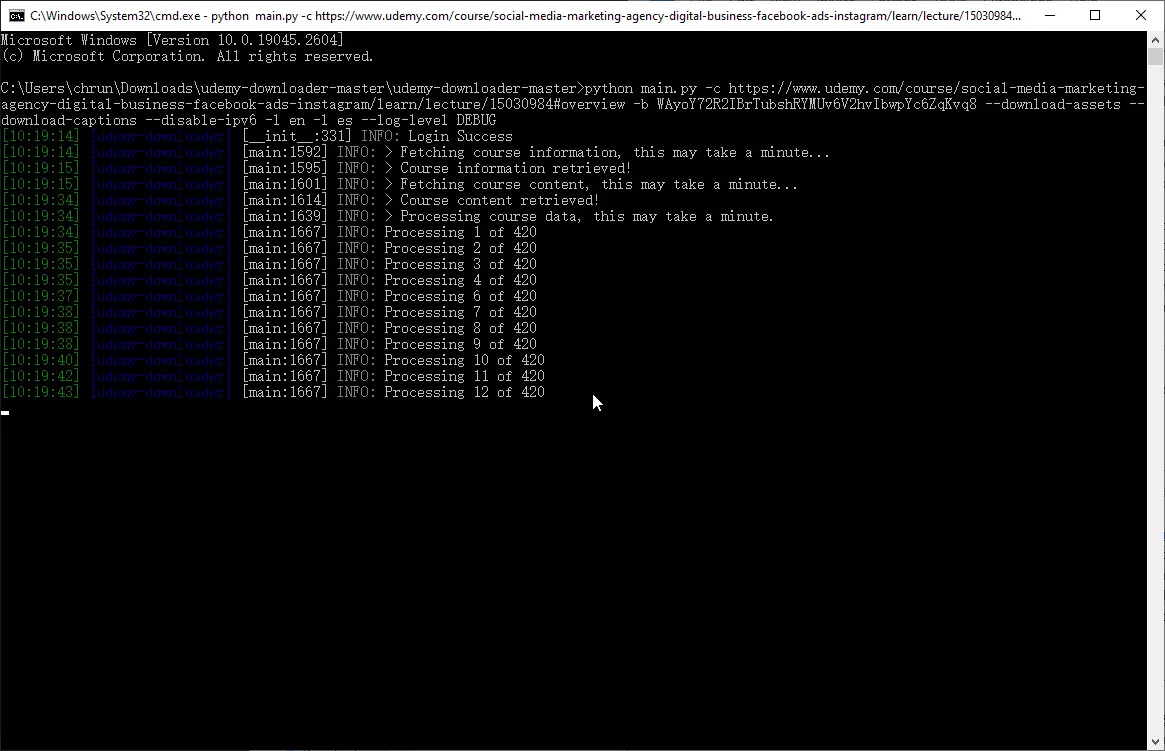
After the download, the course should be in the out_dir folder inside the cloned repository folder.